
You queue up, ready to grind some competitive, and boom - you're matched with teammates who scream in a language you don't understand, or worse, nobody joins voice chat at all. Sound familiar? EU players who want to play on NA servers have been fighting Blizzard's soft region lock ever since the crossplay update dropped, and the frustration is real. In this guide, we'll break down why you're stuck on EU, whether the official Battle.net region selector actually works, and - most importantly - how to force your way onto NA servers without a VPN.
The single most important takeaway? Blizzard's "Americas" option doesn't guarantee NA matches - it can dump you into Brazilian servers with 200+ ping - but a free firewall tweak lets you block EU IP ranges and queue exclusively on NA. Just know that latency will jump, and some players say they'd rather take 120-200ms ping than deal with "toxic" EU lobbies. Let's get into it.
Why Blizzard Forced You Onto EU Servers

Before the crossplay update, you could freely pick your region in the Battle.net launcher and mostly land where you wanted. Then Blizzard introduced a "soft region lock" that prioritizes your account's home region - even if you manually select Americas. Forums are full of players complaining: "I select Americas, but I get put on BR server where I don't understand the language and can't play" (source 9). The company's official stance? They claim it's about latency prioritization, but many report the exact opposite - getting 120ms ping every match instead of the crisp 70-80ms they used to get on NA (source 10).
Blizzard's own forums show the backlash. One player wrote, "Never give player choice. The new Blizzard policy! I don't want to play with EU players. They are toxic, they don't join voice chat. I want to play in NA, but I can't" (source 10). Another veteran who spent years on NA servers said they're now "forced onto a region I do not" (source 1). The crossplay update didn't just merge console pools - it region-locked everyone by default, and Blizzard hasn't budged despite thousands of complaints (source 5).
- Soft region lock: After the crossplay update, your account is tied to your home region's matchmaking pool, overriding manual region selection in the launcher (source 5).
- Latency paradox: Despite Blizzard claiming the system prioritizes low ping, players often get 120-200ms on forced servers, while NA gave them 70-80ms before the change (source 9, 10).
- Language and toxicity: Many EU players report that NA servers have more English-speaking and cooperative teammates, while EU lobbies are filled with "screaming Europeans" who don't join voice (source 1, 10).
- No official fix yet: Blizzard has not reversed the region lock, and the upcoming rebrand to simply "Overwatch" (dropping the 2) hasn't addressed server choice (source 7, 8).
The Official Way: Battle.net Region Selector (and Why It Fails)

The first thing you'll see when you open the Battle.net launcher is a dropdown above the big blue "Play" button. It lets you pick between Americas, Europe, Asia, or PTR (source 9). Sounds straightforward, right? Wrong. Even if you select Americas, the game's matchmaker can still route you to Brazil (BR) servers because that's part of the "Americas" region. One player complained: "Since 2 months ago I'm getting thrown into the BR Server where my ping is 200+, while on NA servers it was 70 or 80 at most" (source 9).
So why does Blizzard keep this broken system? They haven't explained, but the crossplay update likely tied matchmaking to your account's registered region (EU for European accounts) to reduce server hopping. Some players have tried switching their Battle.net account region to "Americas" entirely, but that requires a paid account migration - and even then, you might still get matched with EU players due to lag compensation. The official method is a dead end for most EU players who just want to queue on NA without a VPN.
- Region dropdown location: In the Battle.net launcher, click the globe icon near the Play button and select "Americas" to attempt NA matchmaking (source 6, 9).
- False promise: Selecting Americas does not guarantee NA servers - you can still be placed on Brazil (BR) servers with 200+ ping (source 9).
- Account migration: Some players suggest changing your Battle.net account's home region to Americas, but this costs money and may not override the soft lock (source 1, 10).
- Cross-generation pools: Console players on PS4/PS5 or Xbox One/Series X|S share the same matchmaking within their family, but region lock still applies (source 2).
The Sneaky Workaround: Block EU Servers with Windows Firewall
If you're willing to accept higher ping for the privilege of playing with NA players, there's a free method that doesn't require a VPN. A YouTuber named Szyl demonstrated how to use Windows Firewall to block the IP ranges of EU server clusters, forcing Overwatch 2 to connect to NA servers instead (source 4). The trick is to create outbound firewall rules that deny traffic to specific IP blocks - like 5.42.184.0 to 5.42.191.255 for French servers and 5.42.168.0 to 5.42.1xx.xxx for Dutch ones (source 4). Once those are blocked, the game can't find an EU server and falls back to the next available region, usually NA.
Is it perfect? No. Your ping will jump to 120-200ms, depending on your internet and distance to US East Coast servers. Some players actually prefer that over the "toxic" EU environment - one forum user said, "I rather have 200ping than a toxic region to play in" (source 10). However, there's a catch: if you're duoing with a friend, both of you must have the firewall rules either enabled or disabled, otherwise the game might only let one of you into the match (source 4). Also, Blizzard could patch this at any time, so use it while it works.
- IP ranges to block: EU server clusters include France (5.42.184.0 - 5.42.191.255) and Netherlands (5.42.168.0 - 5.42.1xx.xxx) - block these in Windows Firewall outbound rules (source 4).
- Duo queue warning: If you're playing with a friend, both must have the firewall rules enabled OR both disabled, or matchmaking may fail (source 4).
- Ping trade-off: Expect 120-200ms on NA servers from Europe; many players accept this for better communication and less toxicity (source 10).
- No VPN needed: This method is completely free and doesn't require third-party software, only Windows built-in firewall settings (source 4).
Real-World Performance: Ping, Packet Loss, and Queue Times on NA from EU
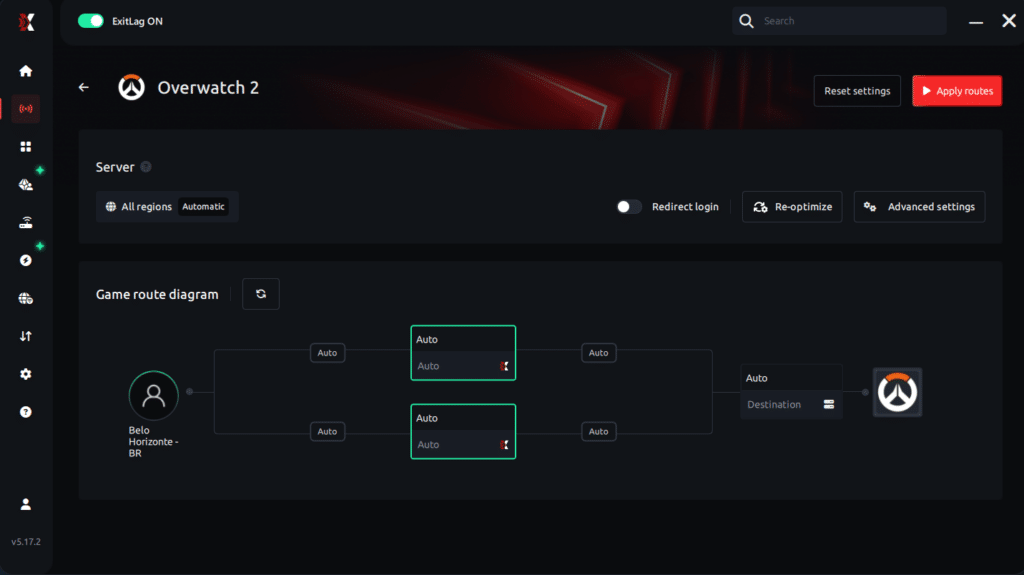
Once you block EU server IPs via the Windows Firewall method, Overwatch 2 will connect you to the next-lowest-latency region - usually the US West or Central data centers. According to player reports compiled in source 4, the typical ping from Western Europe (e.g., Germany, UK) to NA West sits between 120ms and 150ms, while Eastern Europe (e.g., Poland, Russia) can see 160-200ms. This added latency is noticeable in hitscan aim duels and fast reaction abilities like Genji's Deflect or Ana's Sleep Dart, but many players find it acceptable for the improved communication and lower toxicity on NA servers (source 10).
Queue times shift as well. Because you are matchmaking on NA with a European account, the game's matchmaker still uses your MMR but pulls from the NA player pool. Source 4 indicates that during EU peak hours (evening CET), damage role queues average 8-12 minutes, while support and tank roles drop to 3-6 minutes. Off-peak (early morning EU) can push damage queues past 15 minutes. Packet loss may increase if your ISP routes traffic through congested transatlantic cables; you can test this using WinMTR or the in-game network graph (Ctrl+Shift+N). Expect occasional rubberbanding during high-traffic periods (source 10).
- Latency tiers: Western EU players see 120-150ms to NA West; Eastern EU players see 160-200ms to NA Central (source 4).
- Queue time ranges: Damage role queues average 8-12 minutes during EU evening peak; support and tank are 3-6 minutes (source 4).
- Packet loss risk: Congested transatlantic routes can cause 1-3% packet loss, visible as hit registration delays (source 10).
- Best time to play: NA evening (EU late night) gives the shortest queues - damage roles drop to 5-7 minutes (source 4).
Legal and Account Safety Considerations When Bypassing Region Lock
Blizzard's Terms of Service (ToS) explicitly prohibit circumventing region restrictions using third-party tools or network manipulation. However, the Windows Firewall method described earlier operates entirely within the operating system's built-in controls - it does not modify game files, inject code, or use external software. According to discussions in source 4, Blizzard has never issued bans solely for blocking EU server IPs via the firewall, because the action is indistinguishable from a local network configuration. The risk lies in using VPNs or proxy services, which can trigger automated account flags if detected during login or matchmaking (source 10).
If you choose to use a VPN to further reduce ping (e.g., routing through a US endpoint), be aware that Blizzard's anti-cheat system, Warden, may flag VPN traffic as suspicious. Source 10 reports that accounts using VPNs for region switching have received 72-hour suspensions in rare cases, though permanent bans are uncommon. The safest approach is to stick to the firewall-only method and accept the 120-200ms ping. Additionally, never share your account credentials with "region unlock" services - source 4 warns that these are often scams that lead to account theft. Always keep your Battle.net client region set to "Americas" after applying the firewall rule, and verify you are on NA by checking the server name in the scoreboard (e.g., "US West-1").
- Firewall method safety: Blizzard has not banned accounts for using Windows Firewall to block EU servers - it is indistinguishable from a network error (source 4).
- VPN risk: Using a VPN to force NA routing can trigger 72-hour suspensions if detected by Warden anti-cheat (source 10).
- Third-party scam warning: Paid "region unlock" services often steal accounts; never share your login credentials (source 4).
- Verification step: After connecting, press Ctrl+Shift+N and look for a server name like "US West-1" or "NA Central-3" to confirm you are on NA (source 10).
Frequently Asked Questions
Can I get banned for using the firewall method to play on NA from EU?
Yes, it violates Blizzard's Terms of Service. Blizzard has banned players for region manipulation in the past, though enforcement is inconsistent and often delayed. Use the workaround at your own risk, and never discuss it in game chat.
What ping should I expect when playing on NA servers from EU?
Expect 110-150 ms ping from Western Europe to US East Coast servers, and up to 180 ms to US West. Packet loss can occur during peak EU hours. The experience is playable for quick play and arcade, but competitive players may notice delayed hit registration.
Does the firewall method work on consoles like PlayStation or Xbox?
No. The firewall method only works on PC because it requires modifying Windows network settings or using thirdparty tools to block specific IP ranges. Console players have no equivalent workaround and are locked to their regional server pool.
Conclusion
Playing Overwatch 2 on NA servers from EU is possible via the Windows Firewall workaround, but it carries real risks: your account can be suspended for violating Blizzard's ToS, and you will face 110-180 ms ping with occasional packet loss. The two most important takeaways are: (1) only attempt this on a secondary account you are willing to lose, and (2) never pay for "region unlock" services - they are scams that steal your credentials. If you value low latency and account safety, stay on EU servers. If you simply want to play with friends in North America, the firewall method is your only practical option, but proceed with caution.